For adults
IT Support and Systems Fundamentals
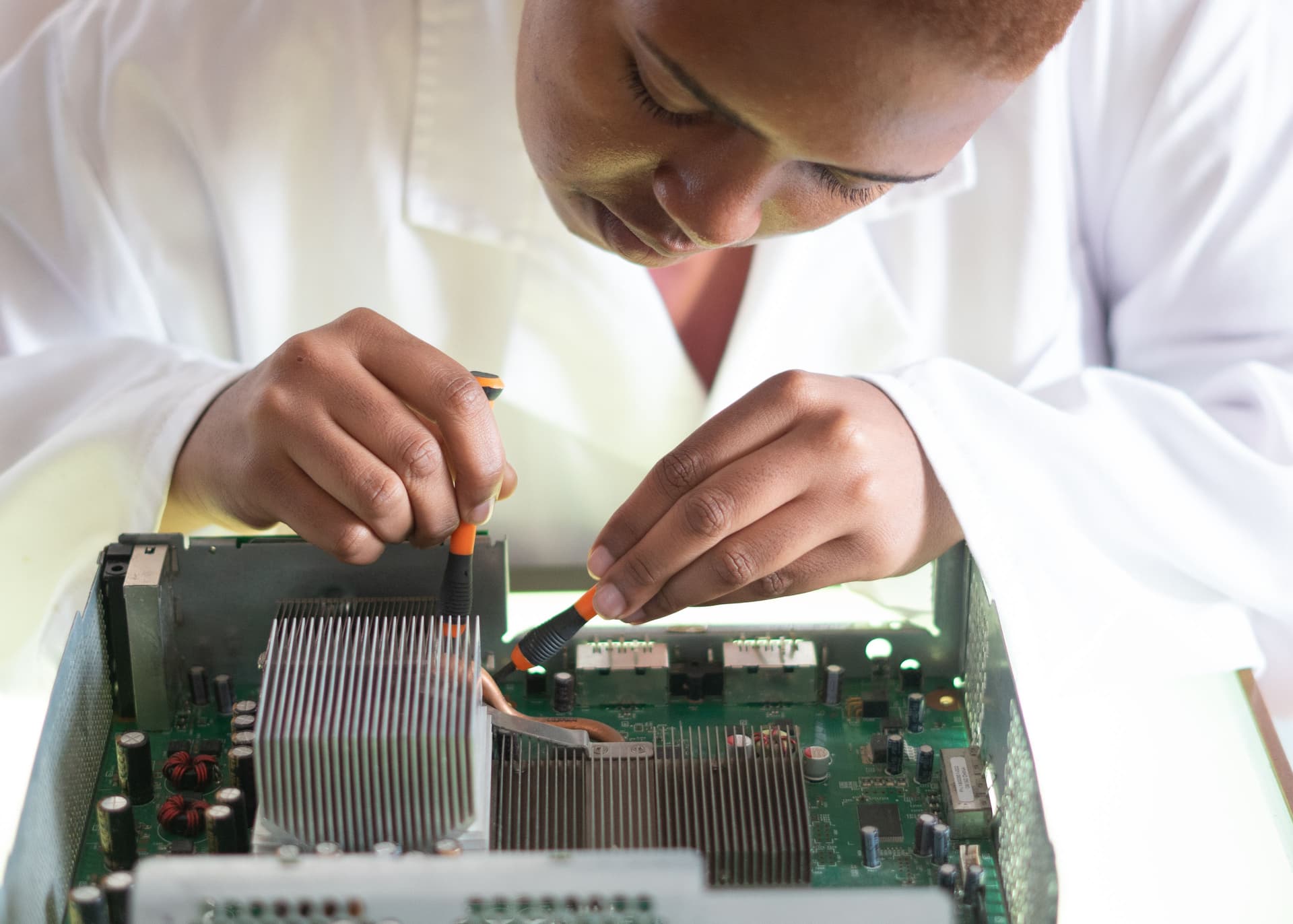
Hands-on IT support covering hardware, Windows and Linux desktops, office network diagnostics, help desk workflows and security hygiene.
- Format
- In person
Course outcome
What you will gain
- Diagnose hardware and OS problems in stages
- Configure Windows and Linux workstations to a standard
- Investigate LAN, DNS/DHCP and Wi-Fi outages with basic tools
- Apply first-line safeguards for MFA, backups and phishing
- Document help desk tickets clearly and escalate appropriately
Choose a track
The track you choose is added to the enquiry form automatically.
Programme overview
About the course
Participants train to find and resolve hardware, operating system and office network issues methodically, from user report to root cause.
Participants learn to work through a diagnostic sequence, document requests clearly and protect workplace devices.
Learn diagnostics as a method
Participants investigate processors, memory, storage, power supplies, BIOS/UEFI and boot problems in a defined order. They trace user reports to root causes and build a hardware and boot checklist. The same approach applies to OS and network issues.
Apply the same discipline to Windows and Linux
Both systems cover installation, drivers, updates, accounts, permissions and service logs. Participants run routine tasks in PowerShell and Terminal and prepare a workstation setup and verification guide. Disk management and Task Manager help assess system state.
Isolate network problems step by step
Participants investigate addressing, gateways, DNS, DHCP, cables, Wi-Fi, printers, shares and VPNs with ping, ipconfig/ip, nslookup and tracert. They isolate each fault before fixing it and write a resolution procedure for common cases.
Security and documentation are part of support
Participants cover MFA, disk encryption, phishing, signs of malware, isolation of infected devices and backup checks. Help desk work includes prioritisation, escalation, remote support etiquette and knowledge base articles. In the final simulation, mixed incidents are resolved and documented.
Core topics
- Hardware, BIOS/UEFI and boot diagnostics
- Windows and Linux desktop setup and service logs
- Office networking and troubleshooting DNS/DHCP, Wi-Fi, VPN and printers
- Help desk ticket management, escalation and endpoint security
Classes are planned in person. The academy clarifies the teaching language and track prerequisites when you enquire.
Technologies and tools
- Hardware diagnostics
- Windows and Linux desktops
- Office networking
- DNS / DHCP / Wi-Fi
- Ticketing and SLA
- Endpoint security
Curriculum
Syllabus
IT Support and Systems Fundamentals has 5 sections and 20 modules. Open a section to see its topics.
Module 1: Hardware and systematic troubleshooting4 modules
- Processors, memory, SSDs and HDDs, power supplies and peripherals
- BIOS/UEFI, boot problems and hardware check sequence
- Methodical diagnosis from user report to root cause
- Practical output: hardware and boot troubleshooting checklist
Module 2: Managing Windows and Linux workstations4 modules
- OS installation, drivers, updates and user accounts
- File permissions, disk management, Task Manager and service logs
- Recurring support tasks in PowerShell and Terminal
- Practical output: standard workstation setup and verification guide
Module 3: Office networking, Wi-Fi and peripheral support4 modules
- Troubleshooting IP addresses, gateways, DNS, DHCP and wired or Wi-Fi links
- Network printers, shared folders and VPN connectivity
- Isolating issues with ping, ipconfig/ip, nslookup and tracert
- Practical output: step-by-step network troubleshooting scenarios
Module 4: Endpoint security and backup hygiene4 modules
- Password management, multi-factor authentication and disk encryption
- Phishing, malware indicators and isolating infected devices
- Safe transfer of user data and backup verification
- Practical output: workstation security and backup check protocol
Module 5: Help desk workflow, documentation and capstone simulation4 modules
- Ticket prioritisation, clear written communication and escalation rules
- Remote support etiquette and internal knowledge base articles
- Practical simulation and reporting for mixed incident scenarios
- Capstone: knowledge base articles and a set of resolved help desk incidents
Simplified teaching model
Helpdesk simptom və diaqnostika ağacı
İstifadəçi şikayətini seçin, ardıcıl diaqnostika yoxlamalarını icra edin və kök səbəbə çatan növbəti addımı müəyyənləşdirin.
The interactive model is in Azerbaijani.
Groups and enrollment
Before you choose
- Starting skills
- Choose a starting level that fits your experience and goals.
- Schedule and start
- Confirm class days, times, session length and start date.
- Group instructor and language
- Confirm your group’s instructor and teaching language.
- Equipment
- Ask what equipment you need and what the laboratory provides.
- Practice and assessment
- Review project examples and the assessment process.
- Enrollment terms
- Check what is included, payment and participation terms.
Next steps
- Send a course inquiry.
- Confirm a suitable group and participation terms.
- Before enrollment, confirm the time of the first on-site class and its room at the academy.
An inquiry is not automatic enrollment or payment.
Ask about a groupTopics and skills are curriculum goals; individual results depend on participation and completed work.
Baku · In-person classes
Venue
Academy address
116A Nasib bey Yusifbeyli Street, Narimanov, Baku AZ1025 (near Ganjlik metro station)
Opening hours: Monday–Friday: 09:00–18:00 · Saturday: 10:00–16:00
Frequently asked questions
Who is the IT Support and Systems Fundamentals course for?
The course is taught for the matching age and level (matching age group). Contact IT Innovations Academy for details. Address and WRO/achievements: /en/faq.
What languages is the course taught in?
Ask the academy to confirm the language of instruction.